Welcome to our 168th newsletter on Star Atlas! This weekly newsletter, published by Aephia Industries, focuses entirely on the development of this ambitious game. Here, we try to aggregate all the newsworthy tidbits revealed [mainly by the team] throughout the past week.
This week, we got important new details on the upcoming Fleet Rental system, plus some fresh insights into what’s coming with the Sage C4 rollout later this year! Meanwhile, the epic 16-week Golden Carnival has officially wrapped up, and the first-ever community-created PIP is now live and open for voting! And if you’ve always wanted to check out all the ships in UE5, now’s your chance—every ship can temporarily be spawned in-game, making this the perfect moment to experience your dream ship from every angle!
Let’s dive in!
Fleet Rentals
The Atlas Brew this past week was all about Fleet Rentals, and if you missed it, it is definitely worth checking out the recording. Below, we are providing the most important learnings, plus the screenshots posted during the Brew!
Screenshots
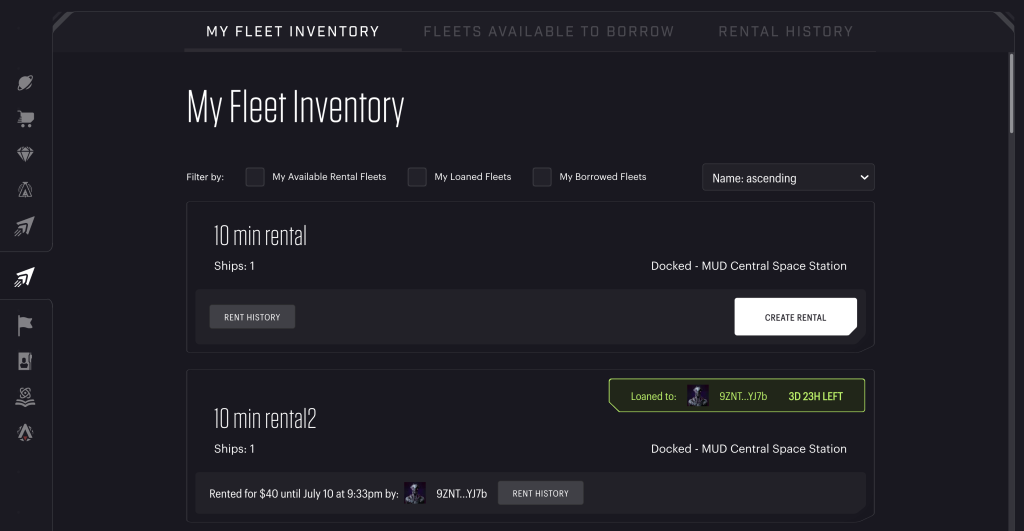
Star Atlas – Fleet Rentals – My Fleet Inventory
The My Fleet Inventory tab presents you with an overview of the fleets you currently have in SAGE. From here, you can rent out existing fleets, see fleets you have rented from others, and also see fleets you have rented out to others.
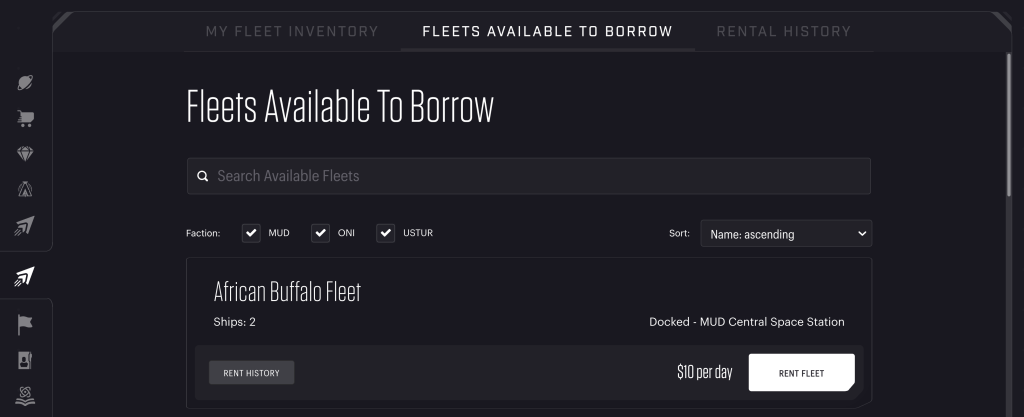
Star Atlas – Fleet Rentals – Fleets Available to Borrow
The second tab, Fleets Available to Borrow, in the Rental UI presents you with an overview of all fleets that are available for rent within your faction. It shows you their location and the cost per day (here, it is shown in dollars, but this will be ATLAS in-game). Clicking it will show you the exact composition of the fleet, such as the next image:
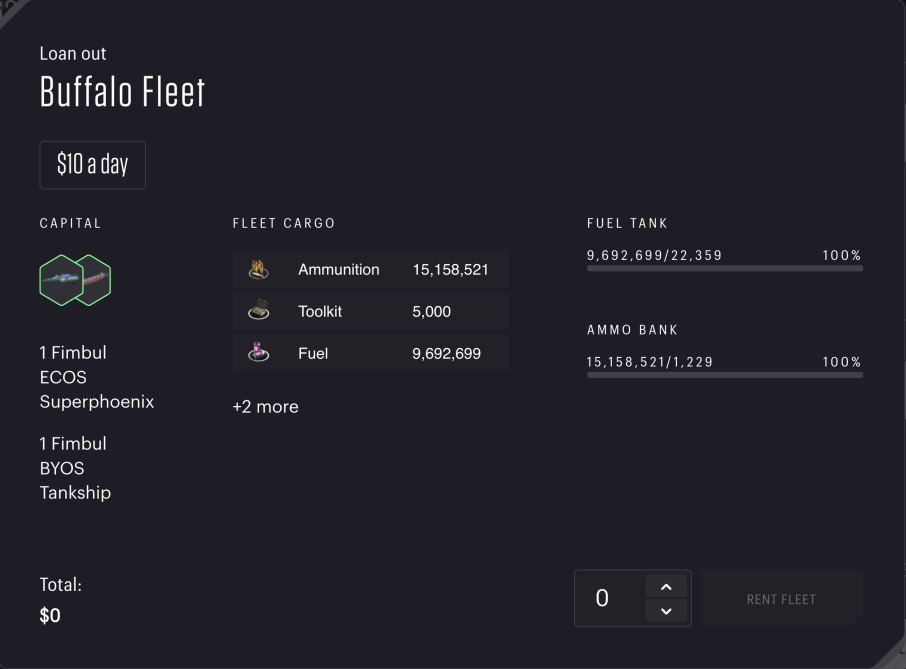
Star Atlas – Fleet Rentals – Fleets Available to Borrow – Details
The details overview shows you the ships, potential cargo, fuel tank, and ammo bank status. It shows you the price per day and allows you to set the number of days for which you want to rent that fleet.
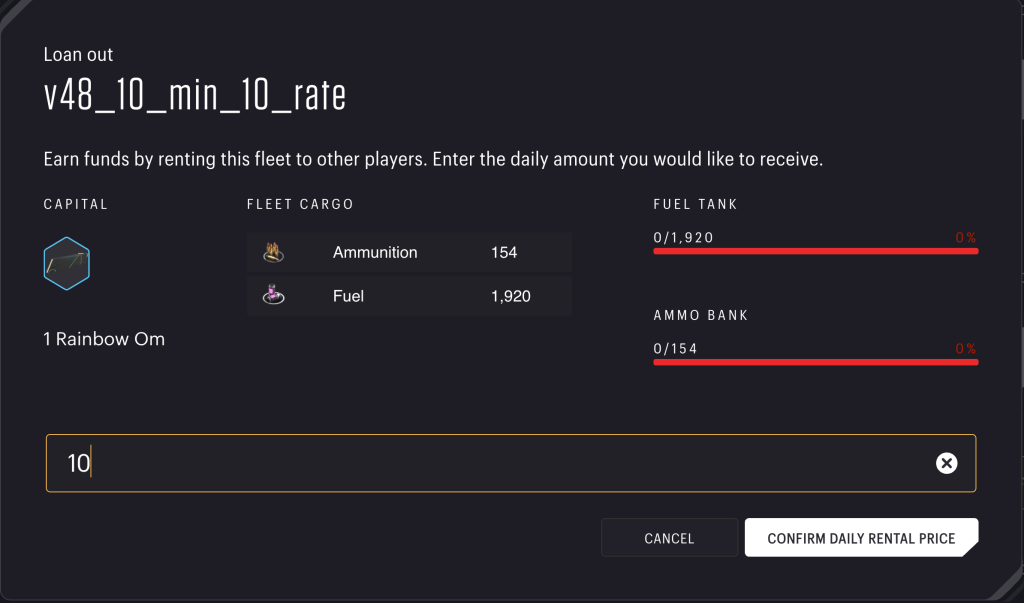
Star Atlas – Fleet Rentals – Create Rental – Details
On the other side of the spectrum, if you want to rent out one of your fleets, you will see the following screen after clicking it in My Fleet Inventory. Note that all these shots are a work in progress and contain glitches here and there, especially this one. Regardless, you see the ships, cargo, and tank& bank status. You can set the daily price and confirm to offer it for rental to the market.
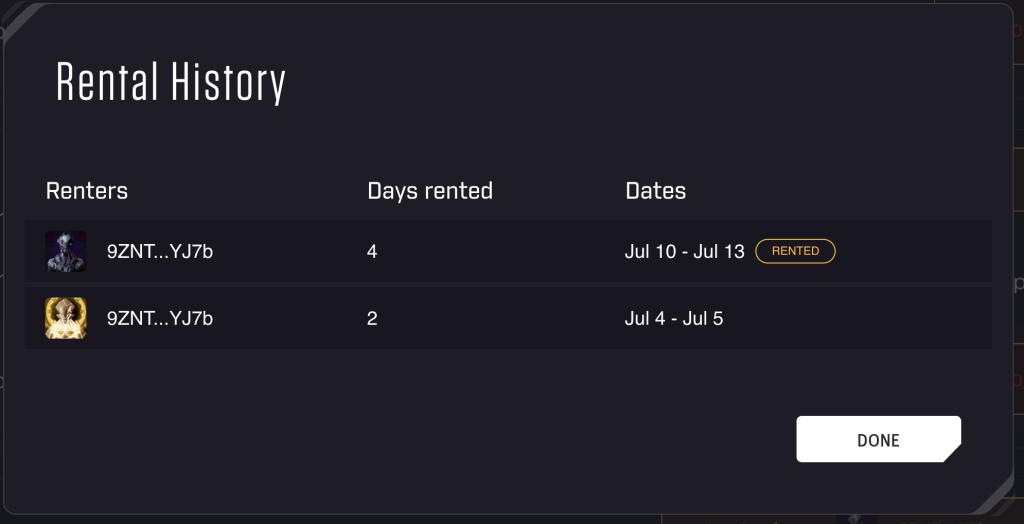
Star Atlas – Fleet Rentals – Rental History
In the My Fleet Inventory overview, there is also a button that shows the fleet’s Rental History. It will show something akin to the above image. The top one, when it has been rented out to somebody at present, will be tagged with “Rented”.
Learnings
Below are some of the things we learned (or got confirmed) this past week:
- When someone rents a fleet being offered, they set the number of days and pay the full costs right away. 90% of that is moved into an escrow account, while the other 10% is considered the fee, which is immediately gone at that point. Note that the Atlas Locker addendum proposes ways to reduce this fee, so these numbers may change in the future depending on the amount of Atlas Locked.
- Every day, a pro-rata share of the escrowed Atlas tokens will be sent to the fleet’s owner.
- If the person who rented the fleet for their use returns the fleet early, the contract ends immediately after the next payment term. In this case, they will get the remaining Atlas (after that final payment) in escrow returned to them.
- If the fleet is rented up until the contract ends, the fleet’s owner will have received the full amount of money that was in escrow.
- By default, a fleet will automatically be put back onto the rental marketplace after being returned.
- The owner of a fleet can take it out of the rental program if it’s not currently being rented. If it is being rented, then the fleet will not be automatically put back onto the rental marketplace after being returned.
- An exception to the “no magic” rule: Passengers will be returned to the CSS if they were still onboard when the fleet is returned to the market/owner.
Fleet Rentals is targeted to go live on March 5th!
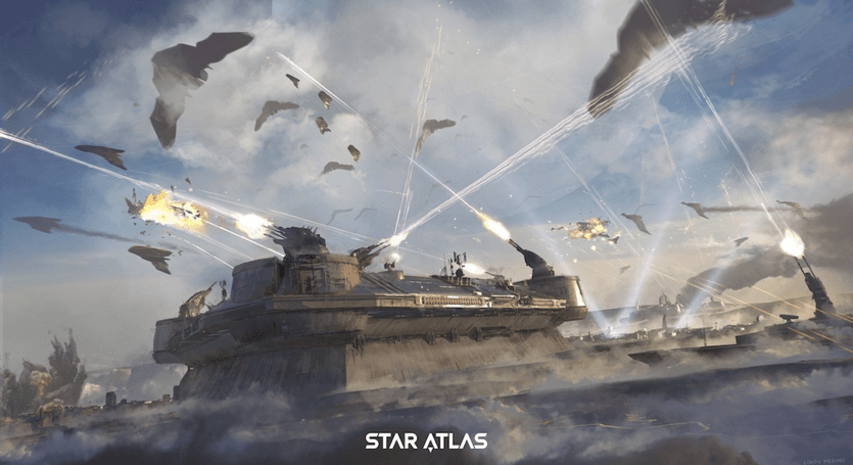
Star Atlas – Concept Art
C4 Updates
Danny shed some light on some of the expected changes coming with the C4 launch later this year. We’ve received his permission to share these here with you.
Claim Stakes
One of the 4 C’s is for Claim Stakes. These are constructions that can be put on a land plot on a planet to claim it officially for yourself. It comes with a built-in HUB and will allow you to place additional buildings (e.g., Mining Drills, Power Plants) to get some use out of that land plot.
Claim Stakes
- Can be placed on planets, first come, first served (FCFS)
- Can be upgraded from T1 to T5; The same goes for all buildings that can be built on a Claim Stake
- Contrary to what the original Game Manual stated:
- Players won’t receive a free soulbound T1 Claim Stake
- Claim Stake slots (i.e., land plots) are limited, both in the Safe Zone and the Medium Risk Zone. This goes for all Claim Stake Tiers.
- When a Starbase is destroyed:
- Claim Stakes are returned to their owner.
- A portion of the materials used to construct buildings is sent to their owners. You will lose some here, though
- Not all land plots have access to all resources, so it may not make sense to upgrade all buildings to the max all the time.
Crafting Habs
We already knew CSS Habs would become a thing, but Danny shared that we can expect to see habs on Starbases as well! Crafting Habs is another one of the 4 C’s, but now we know why it’s such a big deal!
Starbase Habs
- Players can acquire a residential plot on a Starbase owned by their Faction on a first come, first served (FCFS) basis.
- The player needs to build a hab on a residential slot before it becomes usable.
- At the moment, the team has no plans to start selling pre-fab habs for this
- Under the hood, these use the same on-chain program as Claim Stakes. This means that a hab acts much like a Claim Stake. Instead of constructing buildings within its perimeter (Claim Stake), you are building things like Crafting Stations and Cargo Storage inside.
- When a Starbase is destroyed:
- The habs are returned to their owner
- A portion of the materials used to construct the inside structures is sent to their owners. You will lose some here, though.
CSS/Starbase Habs
- Inventory remains unlimited with C4, so Cargo Storage won’t yet contribute to extending that.
- Cargo Storage will add fee-free crafting slots instead (at least until inventory gets restricted)
General
Good/important to know: residential plot selection may be FCFS upon introduction of C4, but the plan is to redo this through an auction in the future when the team is ready for the next step. In other words, selection at this stage most likely won’t be permanent!
Other Pre-Season Upgrades
If you look at the Roadmap, you’ll see a Galia Map expansion planned for the pre-season. It would make sense to roll this out with C4, and Danny confirmed this is indeed the team’s goal. He suggested that a bigger map would also make the loss of a starbase less devastating.
Meanwhile, Chris (VP of Economy) shared recently that he has been working on—and is looking forward to—greatly expanding the amount of resources that exist in the game at present. Danny confirmed that this is planned to roll out with C4 as well, including (of course) a whole swath of additional crafting recipes.
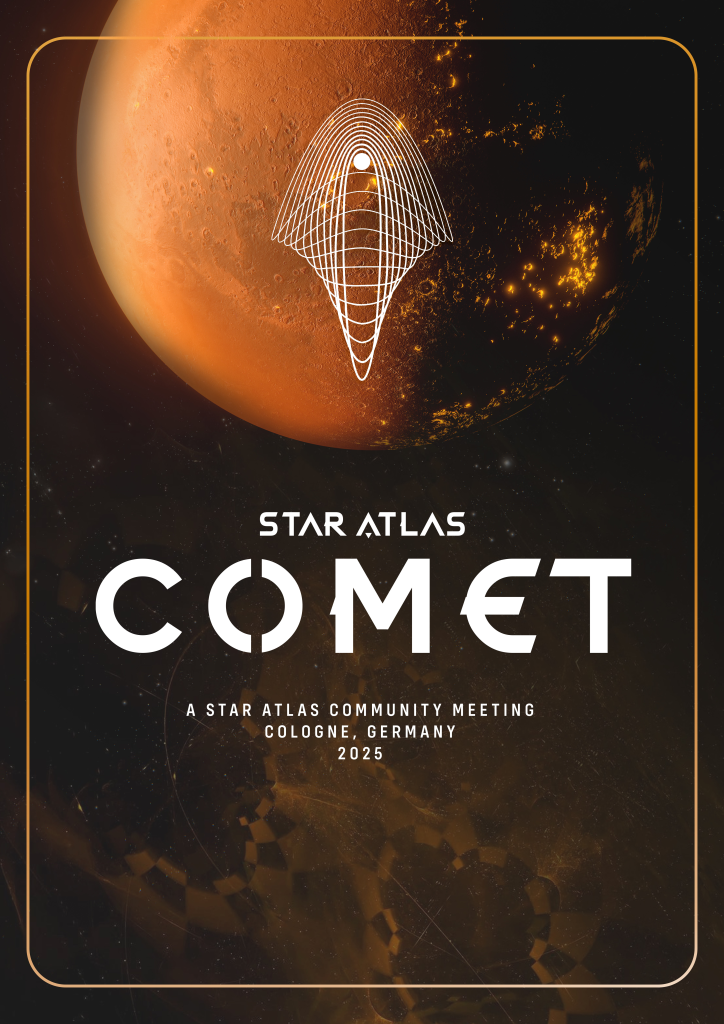
Star Atlas Comet – A Community-created meeting in Cologne (Germany) during Gamescom
DAO Proposals
The first community-created PIP is live right now on the governance portal! This proposal deals with a request for funding Comet, a community meetup in Cologne, Germany, on the weekend Gamescom (the largest video game expo in the world), which is being organized there.
The creators hope to entice anywhere between 30 and 100 Star Atlas enthusiasts and interested parties to attend.
To pay for the costs of the location rental, drinks, and finger food, they budgeted between €3,223.95 and €7,472.25 (dependent on the actual number of participants). This is the amount of funding they hope the DAO will cover.
The community has been able to vote on this proposal since Thursday at 0:00 UTC, and the available window to do so will close this Wednesday at 23:59 UTC.
More PIPs are coming!
Meanwhile, two more PIPs have been lined up to go live (likely) this week, including another community-created one that is seeking to change (correct) the STV algorithm that is being used to accommodate the Council Elections (so far).
The second is a Council-created one that defines the future Councils (term two and beyond), the length of their term, the overlap between successive terms, and the way in which these elections should be held. This one is a requirement to be able to continue the Council system after the current term ends (April 11th).
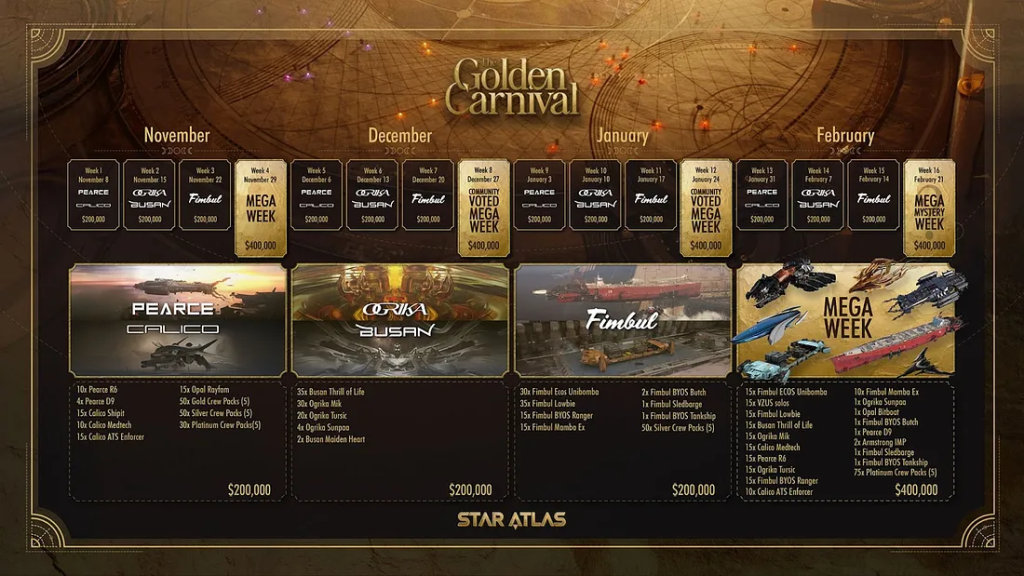
Star Atlas – Golden Carnival 2024/25 – Schedule
Golden Carnival – Wrap Up
The Golden Carnival is a wrap! Over the past 16 weeks, the team has given a little over $4 million worth of assets (in VWAP) to lucky Golden Ticket submitters. Twelve of those weeks came with $200k worth of prizes, and an additional three of these were Mega-weeks where this prize pool was doubled to $400k.
The final week took place this past week, and this Mega Mystery Week came with a whopping, unexpected $580k as the grand prize total!
As this was the last week, people were encouraged to submit all remaining tickets as these hold no more value beyond this point. This led to nearly 10 million tickets submitted, the highest of any week this carnival season.
The team plans to bring back the Golden Carnival in the future, possibly at the end of this year. That event will come with new tickets, so any leftovers from this event will only serve as a memento from this moment onward.
Week 16
As the prize list, unfortunately, was not yet known by the time last week’s newsletter was published, we include it below for the sake of completeness. If you were responsible for some of the 9,857,662 tickets submitted, make sure to check if you won something.
Important: Prizes won are not automatically sent to your wallet. You will have to claim these! Make sure to go through all the weeks in which you participated to ensure you did so for any potential prizes you may have won!
The Mega Mystery Week came with $580,000+ of loot:
- 1x Tier 4 CSS
- 2x Fimbul BYOS Tankship
- 3x Armstrong IMP
- 30x Tier 3 Claim Stake
- 1x MUD, ONI, and Ustur Tier 3 CSS
- 3x Fimbul Sledbarge
- 30x Calico Scud (Unreleased)
- 30x Ogrika Niruch (Unreleased)
- 30x Busan Pulse (Unreleased)
For any winners of a CSS Hab: You are able to exchange it for one of your factions. Create a ticket on the Star Atlas Discord server to do so.
Note that the unreleased ships won’t be sold at this time, but they will likely be in the future.
SAGE Issues
Shortly after the roll-out of StarComm V2, the team implemented an emergency toggle to help improve game performance (as that had degraded considerably). For those unaware, please note that you can now disable all other fleets, except those you own, from being displayed. If you are struggling with a high CPU load or a very slow interface, please toggle this on to save your computer from a terrible headache!
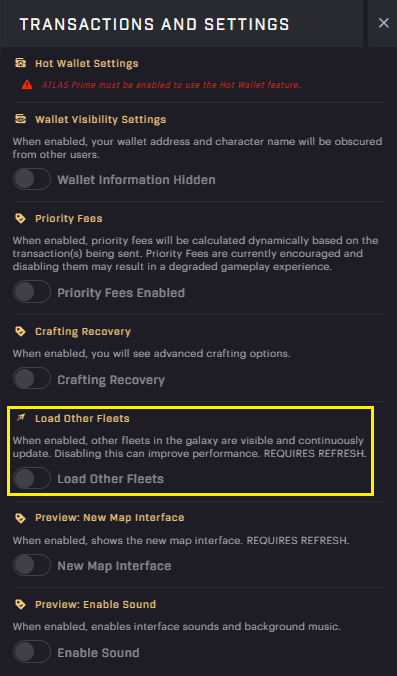
SAGE – Settings – Load Other Fleets
UE5
The team temporarily disabled the ability to connect wallets a little while ago and has now, to ensure people can still spawn their ships, opened up all ships to everyone!
If you want to see the size of the Titan ships in UE5 for yourself, now is the time to do that! You can, of course, also check out all the other ships in glorious 3D and compile your shopping list for the rest of the year.
You’ve reached the end of this week’s issue! Thanks for reading!